Plant Watering Sensor - Precise Current Measurement
published: February 23, 2017 —
last modified: October 23, 2025
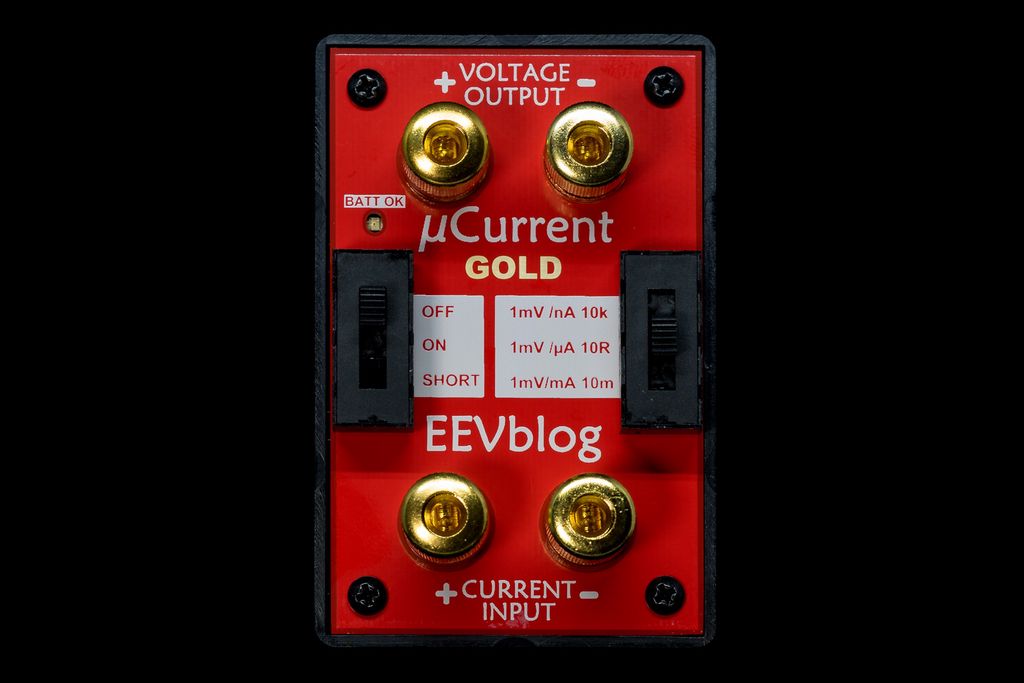
As I wrote in the first part of my article, how to design a cheap plant watering sensor, I had troubles to get exact measurements of the current, using my Testo multimeter. I searched for a solution and found the µCurrent Gold device, from David L. Jones known for the EEVblog. Later a little bit more about the device, first the measurements.
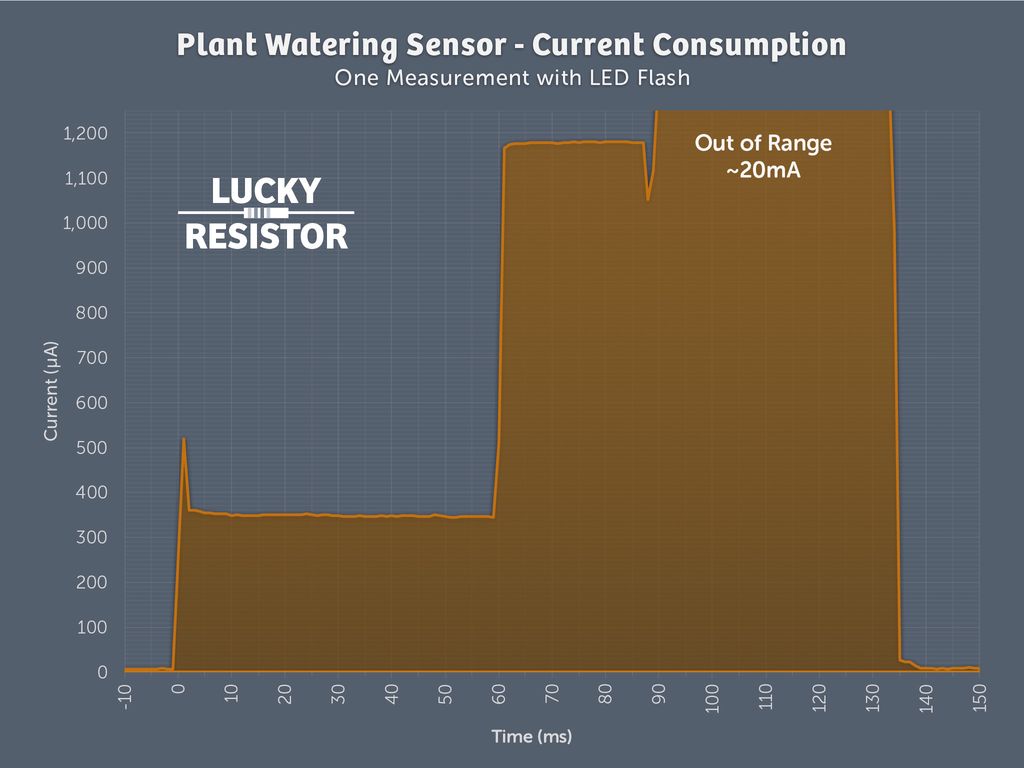
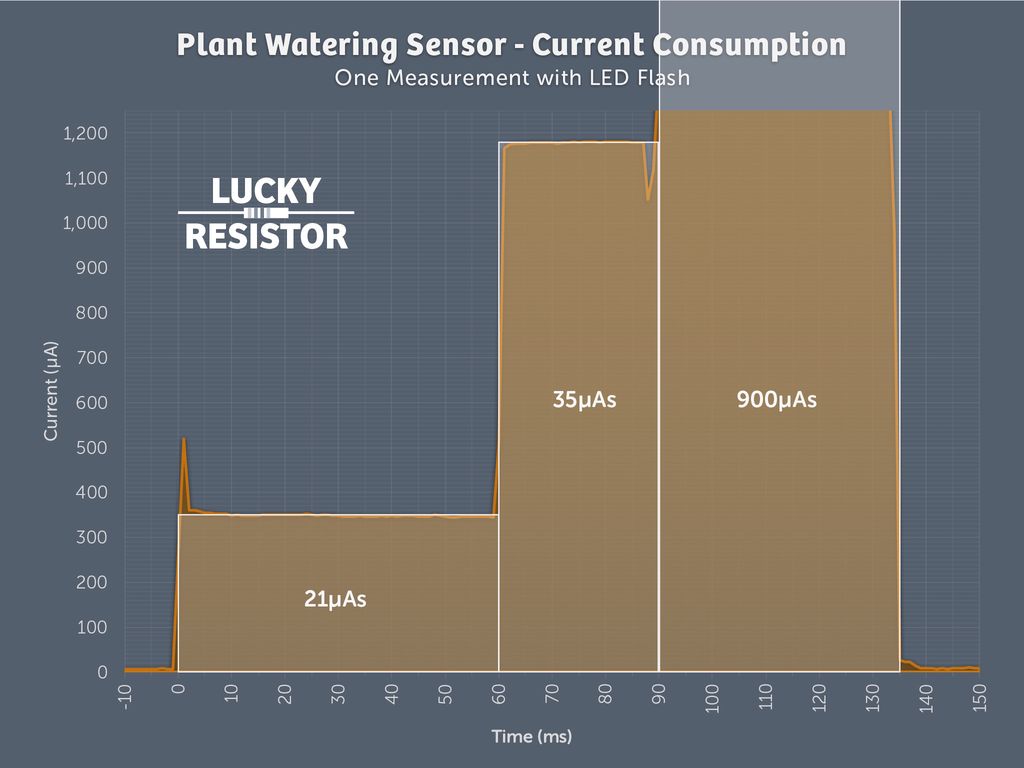
I could do the measurements using the oscilloscope and not only measure the static current consumption, but the current consumption over time. The graph shown in the diagram, is the reading of if the sensor does one single measurement and flashes the LED.
The range of the device for the µA region is limited to 1250µA with the 3V coin cell I use, so the current consumption of the LED is way out of range. This is no problem, because is very easy to measure this much larger current using the multimeter. I did not measure it yet properly, but it will be 20mA or less, therefore I just assume the worst - 20mA for this part.
Now I can do a rough estimation of the real power consumption. Without the LED flash, it is just 56µAs (this is ~15nAh). With a single flash, it is much higher with 956µAs (~0.26µAh). Using these values, I can easily calculate the battery life for normal operation.
µCurrent Gold
This simple device just converts the measured current into a voltage, which can easily measured using a multimeter or as I did, using a oscilloscope.
The clever design of this device reduces the burden voltage into the µV range (10-20µV). Read all details about the device here:
I built a simple, modular CMake-based toolchain for Adafruit Feather M0 boards that reuses Arduino tools while giving full build control. It’s aimed at prototype work and HAL development on macOS and Linux. If you’re curious, read the full post for setup steps and examples.
I'm not a 3D printing guru, but I built and tested three print-in-place hinges optimized for PETG/ASA and explain the small design choices that make them work reliably. I walk you through bridging, fin widths, overhangs, and conical holes — read the full post to learn how to print them well.
I've added a batch of new divider layouts across my storage box system — regular, flat, tall, triple and extended series — based on your feedback. I've updated documentation and uploads; downloads are available on the new platform. Please take a look and read the full post for details and download links.
I created a logic-gate puzzle featuring a gated D latch: more artwork than optimized circuitry. I invite you to try decoding the hidden message—there are hints and links to gate and flip-flop basics in the post. I hope you enjoy the challenge; read the full article if you'd like to solve it.
I tested 13 SMD LEDs for my plant-watering sensor project, soldering them to a small board and driving them from an Arduino Zero Pro to compare brightness and flash styles. I share photos, part numbers and a short demo video — read on if you’d like the full results and notes.
I've released Pattern Generator v2.0.4 with a rewritten 64-bit fixed-point backend, a new shape browser, extra placement algorithms, adjustable canvas shapes, faster style previews and improved file handling. It's free for macOS and Windows — read the full post to see examples, download links and details.